

In today’s fast-paced digital world, professionals, agencies, and businesses face constant pressure to deliver more in less time. Repetitive tasks, inefficient workflows, and unstructured processes quietly drain resources, increase costs, and slow productivity.
I’ve had the opportunity to work closely with WebFX, a top US digital marketing agency, observing how AI and process optimization transform workflows. By strategically automating routine tasks, consolidating tools, and leveraging predictive insights, WebFX dramatically reduced time spent on reporting, approvals, and client management. Their teams could focus on creative, strategic work, delivering measurable results to clients faster than ever before.
In this guide, you will learn how to replicate this success: how to use AI to optimize workflows, which tools to start with (including free options), and how to measure results. Whether you work in marketing, sales, manufacturing, finance, or logistics, this guide provides actionable strategies to save time, cut costs, and increase efficiency in 2026.
TL;DR: Why AI-Driven Process Optimization Matters
- Automate repetitive tasks and reduce manual effort by 20–40%.
- Minimize errors and improve workflow accuracy.
- Measure KPIs in real-time for better decision-making.
- Use free or low-cost AI tools to get started quickly.
- Scale workflows efficiently while reducing operational costs.
What Is Process Optimization?
Process optimization is the method of analyzing, refining, and improving workflows to achieve better results with fewer resources. It involves identifying inefficiencies, removing unnecessary steps, and creating workflows that are repeatable, predictable, and scalable.
AI elevates process optimization by adding:
- Data-driven insights to spot bottlenecks and inefficiencies.
- Automation of repetitive, rule-based tasks.
- Predictive analytics to forecast workflow needs and prevent delays.
- Scalability across teams, departments, or even multiple offices.
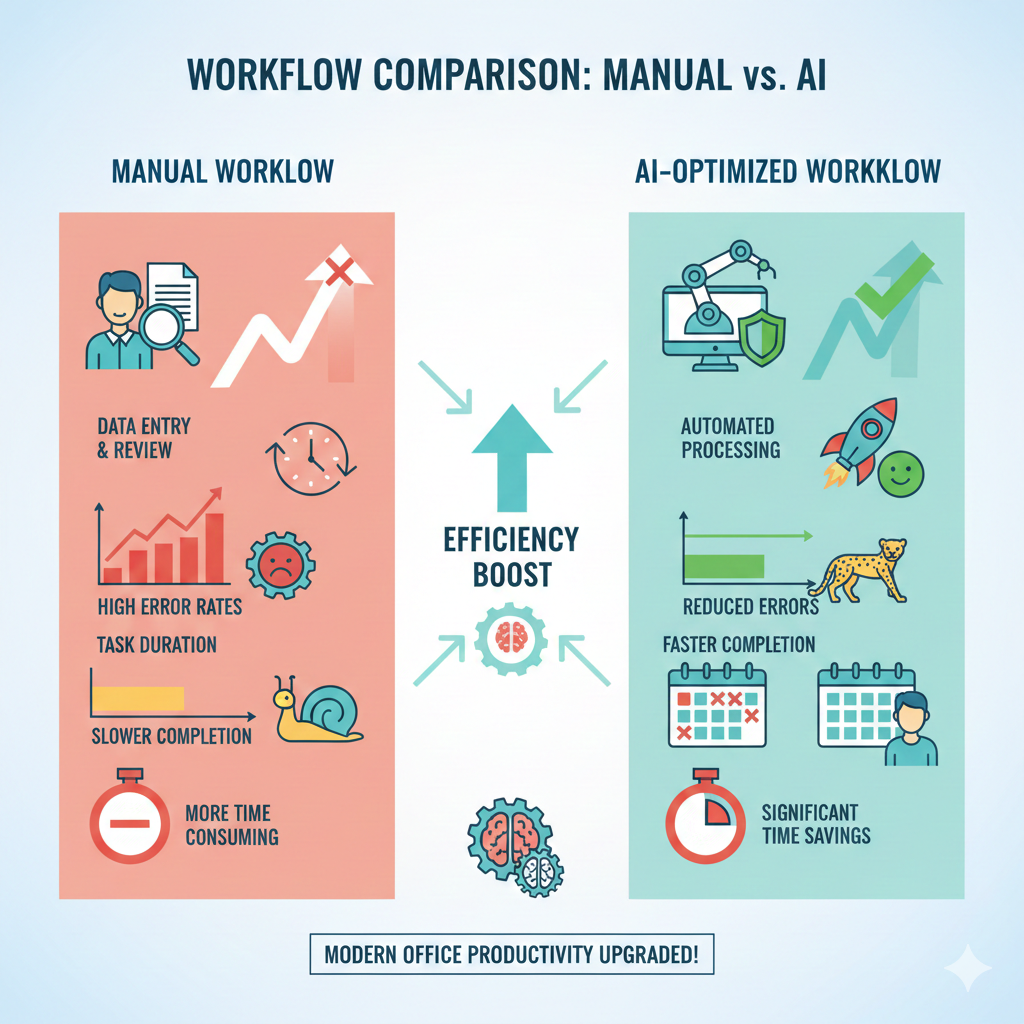
Traditional vs AI-Powered Optimization:
- Traditional: Manual workflow mapping, time studies, incremental improvements.
- AI-Powered: Real-time monitoring, predictive analysis, automated execution, scalable improvements.
Mini Takeaway: AI makes workflow optimization proactive, intelligent, and measurable.
Why US Professionals Need AI-Powered Process Optimization
US professionals value time, measurable results, and actionable efficiency. AI addresses the most critical challenges:
1. Time Efficiency: Automate Repetitive Tasks
At WebFX, the operations team reduced weekly reporting time by over 30%. AI handled repetitive Excel updates, CRM tasks, and client campaign tracking, freeing the team to focus on strategic work.
Actionable Tip: Start by automating a single repetitive task. Tools like Zapier Free, Make.com, and Google Sheets automation are ideal for beginners.
2. Cost Savings and ROI
Automation reduces manual labor, eliminates redundant steps, and consolidates tools. WebFX consolidated multiple reporting tools into one automated workflow, saving thousands in software subscriptions annually.
Actionable Tip: Identify overlapping tools or repeated processes and automate them. Even small savings compound over time.
3. Reducing Errors and Improving Accuracy
Errors cost time, money, and client trust. AI ensures consistent execution in finance, ETL workflows, marketing, and manufacturing. At WebFX, automated dashboards prevented reporting errors, reducing manual corrections by 40%.
Pro Insight: AI does not replace humans; it augments accuracy. Use AI to handle routine validations while humans focus on judgment-based decisions.
4. Improving KPIs and Productivity Metrics
AI tracks KPIs automatically. At WebFX, marketing campaigns are monitored in real time, enabling instant adjustments for maximum ROI.
Metrics Example:
- Cycle time reduced by 25%
- Client reporting errors decreased by 40%
- Productivity per employee increased by 15%
5. Enhancing Collaboration and Communication
Remote work is prevalent. AI ensures real-time updates, centralized data, and automated notifications. Teams no longer waste time chasing information or aligning manually.
6. Supporting Work-Life Balance
Automation reduces after-hours work. Professionals can focus on meaningful tasks instead of repetitive administrative work.
7. Ensuring Compliance and Data Accuracy
AI helps maintain clean data, track changes, and ensure audit compliance, critical for finance, healthcare, and manufacturing workflows.
8. Scalability and Growth
AI enables workflows to scale without exponentially increasing effort. Adding clients, products, or tasks becomes seamless.
9. Competitive Advantage
By speeding up delivery, improving quality, and reducing errors, AI gives teams a measurable edge over competitors.
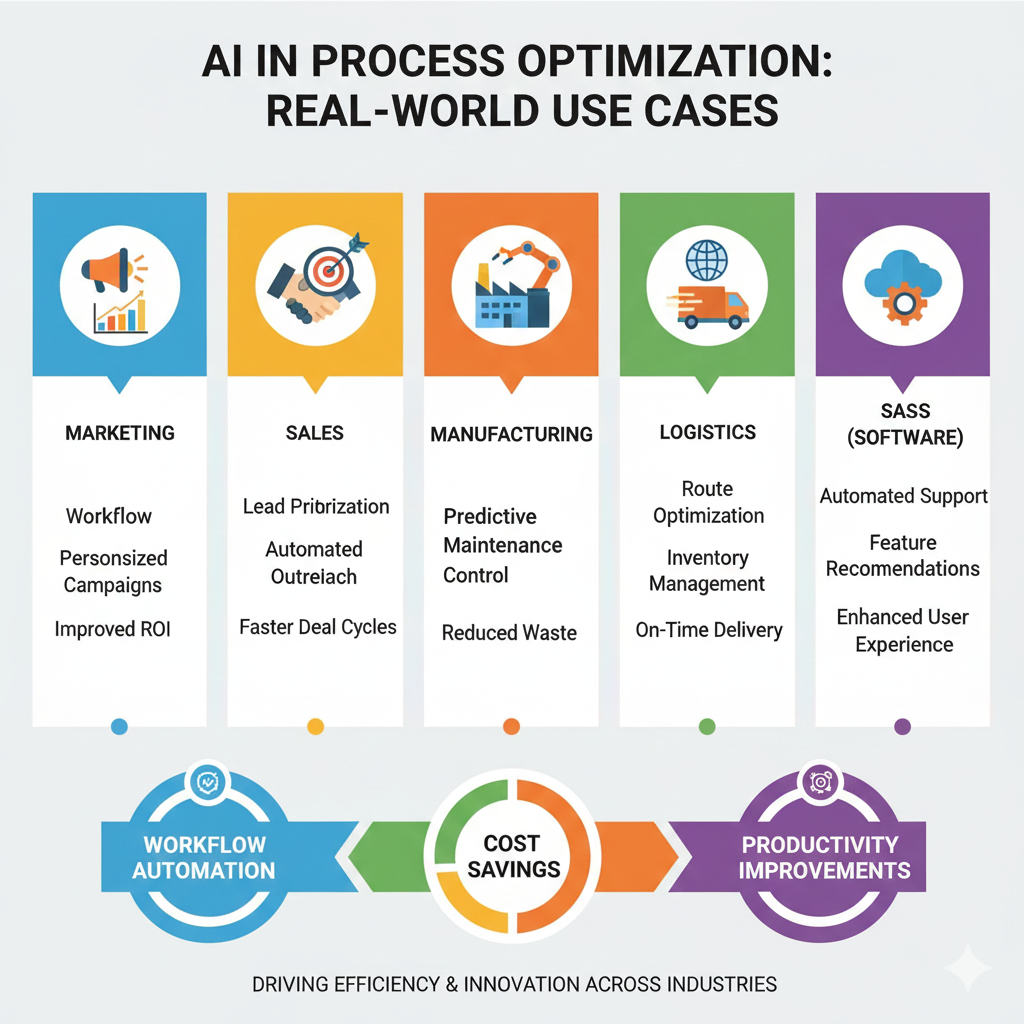
Expanded Real-World Use Cases of AI in Process Optimization
1. Business Process Optimization
- Automate lead follow-ups, client onboarding, approvals, and reporting.
- Tools: HubSpot Free, Zapier Free, Notion AI Free
- Example: WebFX automated campaign reporting and client follow-ups, reducing manual effort by 30%.
2. ETL Process Optimization
- AI can clean, validate, and transform large datasets automatically.
- Tools: Talend Open Studio, OpenRefine
- Impact: 50% reduction in data validation time in analytics teams.
3. Sales Process Optimization
- Automate CRM updates, lead scoring, and proposal generation.
- Result: Sales teams focus on high-value clients, improving revenue per rep.
4. Manufacturing Process Optimization
- Predictive maintenance, quality control, and production scheduling.
- AI reduces downtime, increases throughput, and improves product quality.
5. Marketing & Digital Agencies
- Automate social media posting, reporting, and content workflows.
- WebFX example: AI dashboards for campaign performance reduced errors by 40% and freed employees for creative work.
Step-by-Step Framework for AI-Driven Process Optimization
- Map the Current Workflow
Tools: Miro Free, Draw.io
Document each task, decision point, and repetitive step. - Measure Time, Cost, and Error Points
Identify bottlenecks and tasks with high manual effort. - Identify Tasks Suitable for AI Automation
Focus on repetitive, rule-based, high-volume activities. - Implement Automation
Tools: Zapier Free, Make.com, Notion AI, ChatGPT
Start small with AI tools, automate one workflow at a time. - Monitor, Improve, and Scale
Track KPIs, measure impact, and expand automation gradually.
Mini Takeaway: Start small, measure impact, scale systematically for maximum results.
Tools for AI-Powered Process Optimization
| Workflow Type | Tool | Free/Freemium | Key Benefit | Quick Start Tip |
| Task Automation | Zapier | Free | Automates repetitive tasks | Start with one workflow |
| Workflow Mapping | Draw.io | Free | Visualize processes | Map your current SOP |
| Documentation | Notion AI | Free | Draft SOPs and checklists | Use templates for workflows |
| Workflow Boards | Miro | Free | Collaborative diagrams | Invite team members |
| Task Management | Trello | Free | Track tasks visually | Use boards for recurring tasks |
| CRM Automation | HubSpot Free | Free | Manage leads & communication | Automate follow-ups |
| Analytics/ETL | Talend Open Studio | Free | ETL and data validation | Start with small datasets |
| AI Reporting | Google Data Studio | Free | Dashboard for KPIs | Connect to workflow data |
Industry-Specific Examples
- Tech & SaaS: Automate development pipelines, QA, and reporting
- Agencies & Freelancers: Automate client reporting and lead management
- Manufacturing: Predictive maintenance and quality control
- Logistics & Supply Chain: Optimize routes, forecast inventory, reduce errors
Step-by-Step Example: Marketing Workflow Optimization
Before AI:
- Manual reporting via Excel (5 hours/week)
- Social media scheduling by individual team members (3 hours/week)
- Client follow-ups are tracked manually
After AI:
- Automated reporting via Zapier + Google Sheets (1 hour/week)
- Social media scheduling via Buffer + AI content suggestions (30 mins/week)
- Automated client follow-ups via HubSpot Free (30 mins/week)
Result: 7+ hours saved per team member per week, 40% error reduction, faster client delivery.
Common Mistakes to Avoid
- Automating low-impact tasks
- Using too many tools at once
- Ignoring human oversight in critical decisions
- Failing to measure KPIs
- Poor documentation of workflows
Frequently Asked Questions (FAQs)
Q1: Can small teams implement AI without coding skills?
Yes. Tools like Zapier Free, Notion AI, and Make.com allow workflow automation with zero coding.
Q2: Which AI tools provide the fastest ROI?
Task automation and reporting tools usually show immediate savings in time and cost.
Q3: How do I measure improvement in productivity?
Track KPIs like cycle time, error reduction, task completion time, and output per employee.
Final Takeaways
- AI can save 20–40% of time on repetitive tasks.
- Automation reduces operational costs and errors.
- Workflows become predictable, scalable, and measurable.
- Free and freemium tools make AI accessible to professionals and small teams.
- Continuous monitoring ensures long-term efficiency improvements.
Case Study Insight:
WebFX implemented AI-powered campaign reporting, predictive scheduling, and automated client follow-ups, achieving measurable improvements in time, accuracy, and client satisfaction. Similar results can be achieved in marketing, sales, manufacturing, logistics, and finance workflows.
Actionable Advice: Start small, automate a high-impact workflow, measure results, and scale gradually. Your team can achieve better results while focusing on creative and strategic work.
